
Ambiera ForumDiscussions, Help and Support. |
|
|
|||||
|
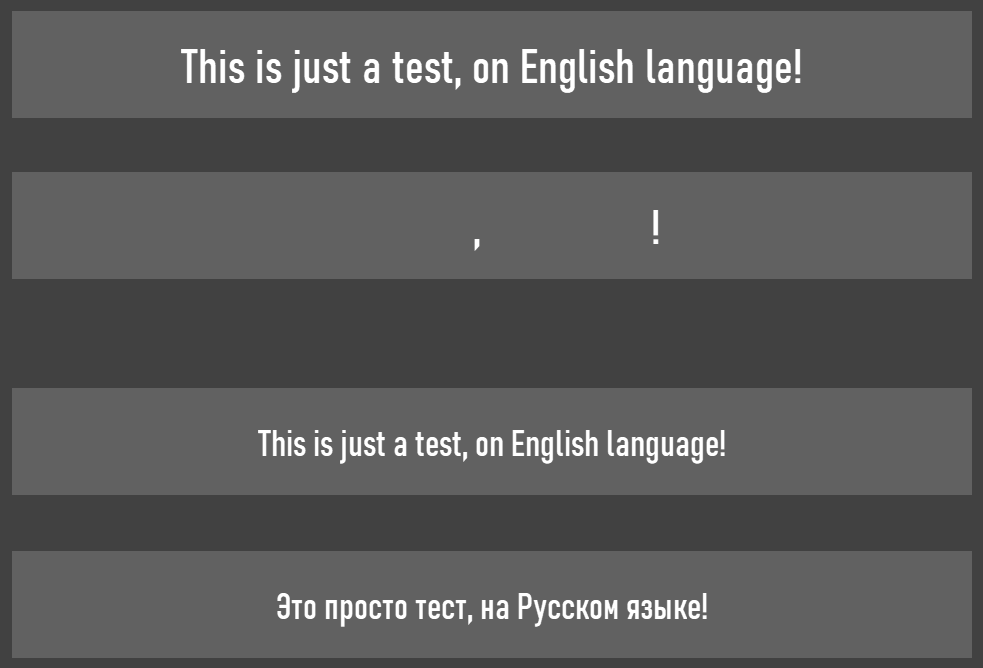
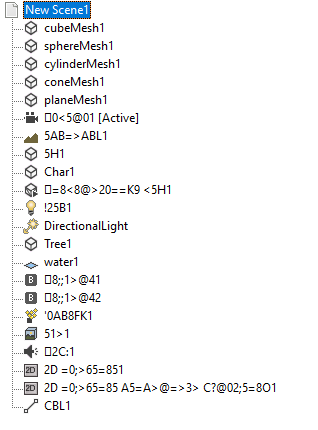
Long time ago, I was using Coppercube with russian language selected (you know, it's easier to work with language that you know better). But, now, because I may need to give screenshots to describe various problems better, I switched the program to English. Not only that, there are some weird things happening with russian (or maybe even other) translations, and one particular thing is affecting games as well (the first one). 1. The biggest problem for me, now that I am working on localization of my game to both english and russian, is that the engine cannot draw russian letters (or, yet again, maybe letters from some other languages) when the text size is above 28: I have no idea why this even happens, maybe someone knows what can cause such thing? (By the way, I got mistake here with "on english" instead of "in english", too bad on my side!) 2. Certain objects have weird naming problem. Cameras, terrains, rooms, animated meshes, point light, billboards (both normal and vertical), particle systems, skyboxes, 3D sounds, 2D overlays (including input overlays), paths - all of them spawn with corrupted names: 3. (Minor problem) There are some funny mistakes in translation, I noticed most of them when Coppercube 6.5 was introduced. Labels of "create 3D element" toolbar were tranlated kinda weird. For example, "Plane" mesh is translated as "???????" (which is "Airplane" in english), or "Billboard" being "????????? ???" (which, yeah, translates as "Billboard", but it means "Advertising panel", I don't really think it can be even translated in that regard). This one isn't really a problem, but I do think that it may confuse some newcomers to engine. 4. Sometimes, engine kinda bugs and every time you press G on a keyboard, it switches grid (instead of Ctrl+G). It is annoying when you try to write anything on overlays, because, while it switches grid, It also doesn't write that letter (G in english and ? in russian). I never encountered it in english version, but who knows, maybe I am just that unlucky? The exact reason for this one is unknown to me as well. |
||||
|
Hi there, thanks for reporting, it seems there is some issues with the Russian translation files, I will probably try to fix some of them like wrong translation and maybe if you want you can yourself fix them. I did fix some of them in version 6.5, like there were lots of missing translation strings for many languages, I added them there, though I translated them using g-translate, so it is always better if a native speaker translates them. in order to fix the translation, go to your CopperCube installation directory and open the language folder there, you will find a file name coppercube_language_ru.xml open this file with any text editor and change the incorrect translation with the correct translation. hope that fixes all of your problem, regarding the font disappearing after using a size larger than 28, you can try scaling the overlay when using font size more than 28, sometimes due to the scale of overlay larger font size won't fit into overlay and won't render, you can try scaling up the overlay. hope that helps. |
||||
|
... wish there was also a magic peace_all-languages.xml to end world's suffering ... |
||||
|
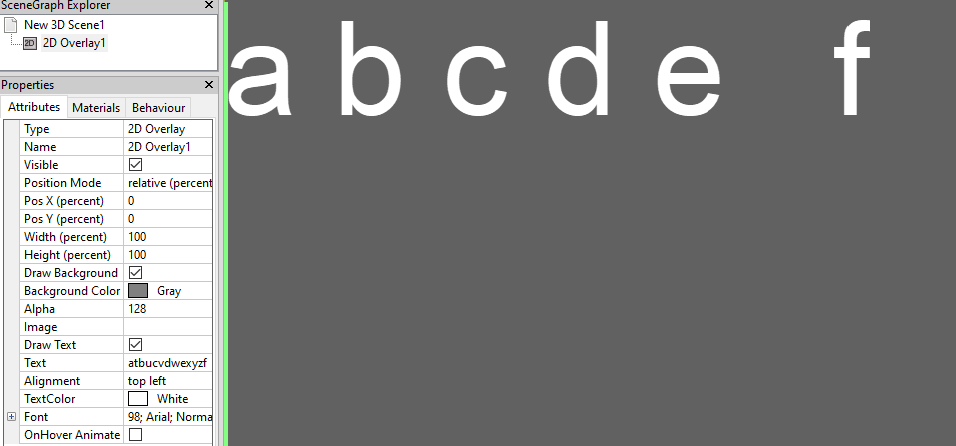
Well, I have some... Interesting findings. Scaling overlay even to 100% (relative) both X and Y coordinates, it still works bad. In fact, I tried to write both english and russian text on a single overlay, and, guess what, only english text appears with big font sizes. Not only that, it seems like the size from which letters stop rendering (appearing) actually depends on font. In example that I've shown, I was using standart Arial font. Now, trying it with different ones, turns out that, for example, with Arial Black font (which is Arial, but Very Bold) stop showing russian letters with font size being higher than 24. Even fonts that do not support russian language (showing rectangles instead), doesn't show those rectangles (which are symbols, and symbols, normally, show up just fine). Also, just tried changing the size of english text above 72 with Arial Regular, it also gave some interesting results. Here's what I wrote on an overlay: ABCDEFGHIJKLMN OPQRSTUVWXYZ abcdefghijklmn opqrstuvwxyz With font size being 97 and less, everything is good. But when it is 98 - text stops on "s", everything else disappears. As size grows, more letters disappear. However... While font size is 98, writing something that has all those disappeared letters (tuvwxyz) and letters that did not disappear, all mixed together, something like, for example "atbucvdwexyzf", it gives this: This is getting weirder. Maybe it has to do something with how engine handles text? |
||||
|
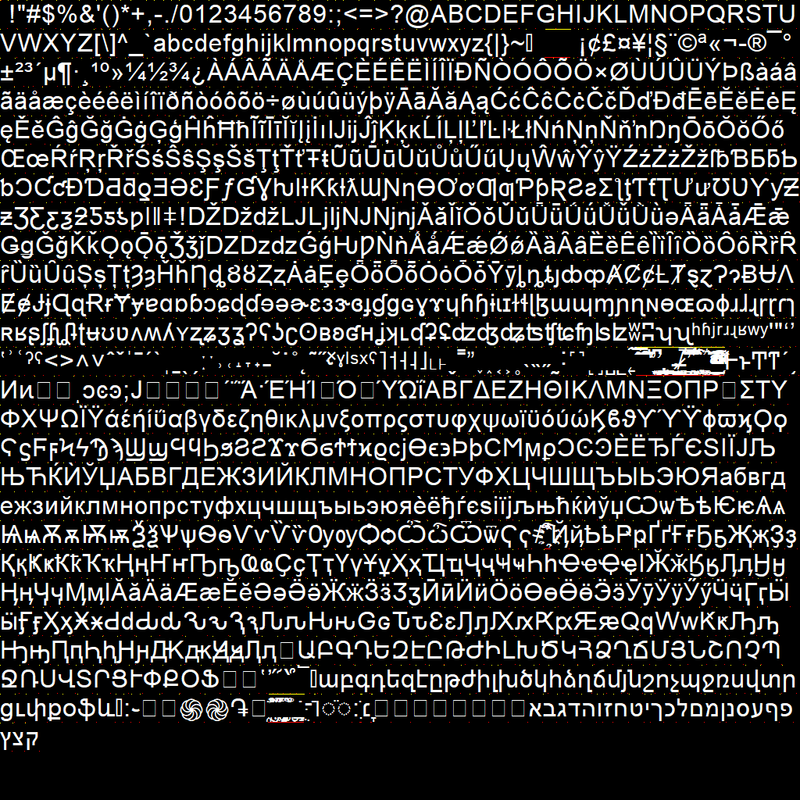
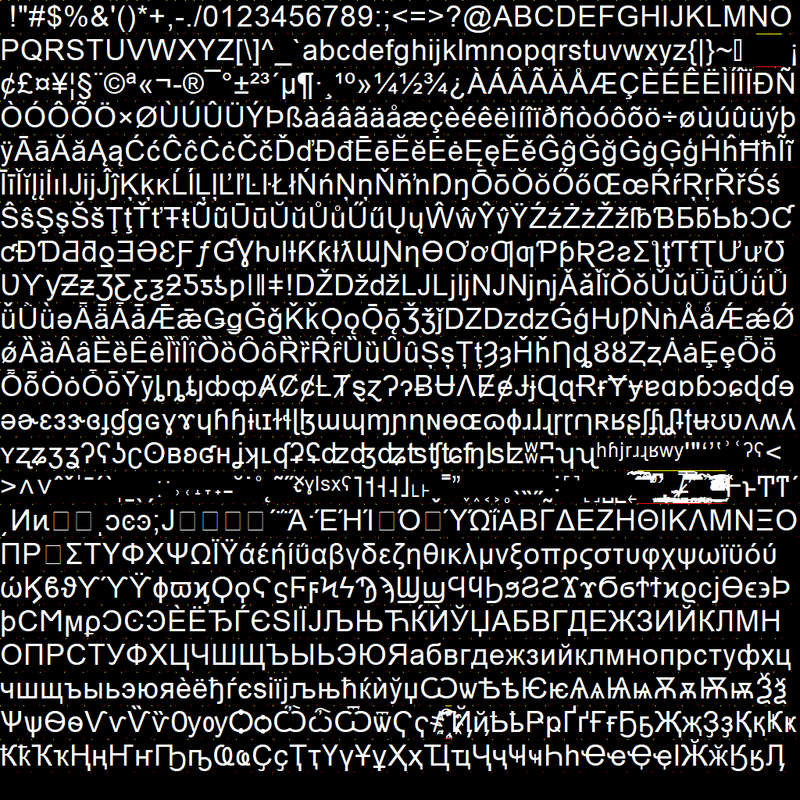
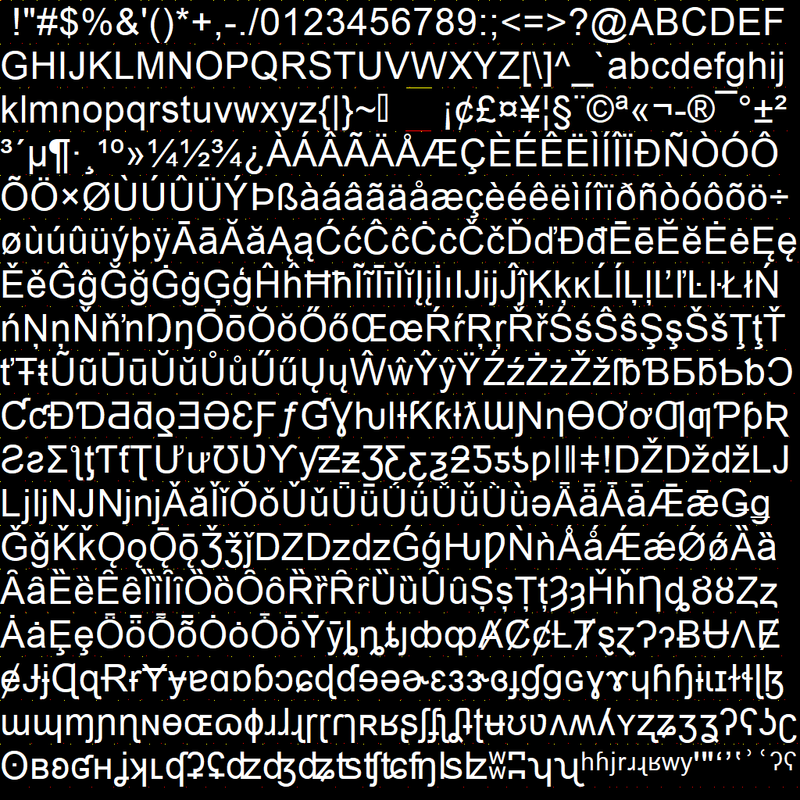
Okay, I think I found something. In AppData/Local/Temp I found files such as "coppercube_Arial_28_f_f.bmp" and lots of other ones, with font and size being different. Seems like it saved fonts along with sizes that I've been using. Now I get it. Here's "coppercube_Arial_24_f_f.bmp" (that I had to convert into PNG in order for it to load here): Seems like it works fine, everything is in it's place. Here's "coppercube_Arial_28_f_f.bmp": Here you can already see that certaing letters (of some language that I don't know) disappearing. Here's "coppercube_Arial_36_f_f.bmp": Again, more letters disappear. So, turns out, that IS the issue with text handling. As far as I understand, everything that cannot be fit in 1024x1024 pixels (resolution of these images) is being deleted. And that was not only the problem with russian language as I thought, it just happened to be low enough to disappear on such font size. And that's why english language was working the best - it is on the top, so, it is affected less. I hope this will help with solving the problem, if you have any plans on that, of course. |
||||
|
|




)